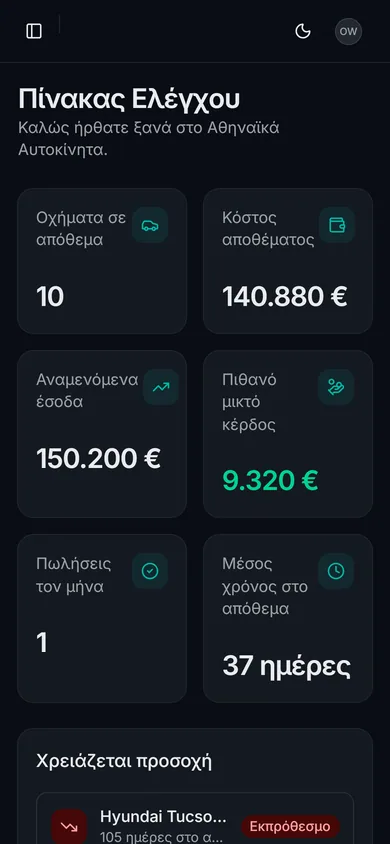
Vehicle inventory
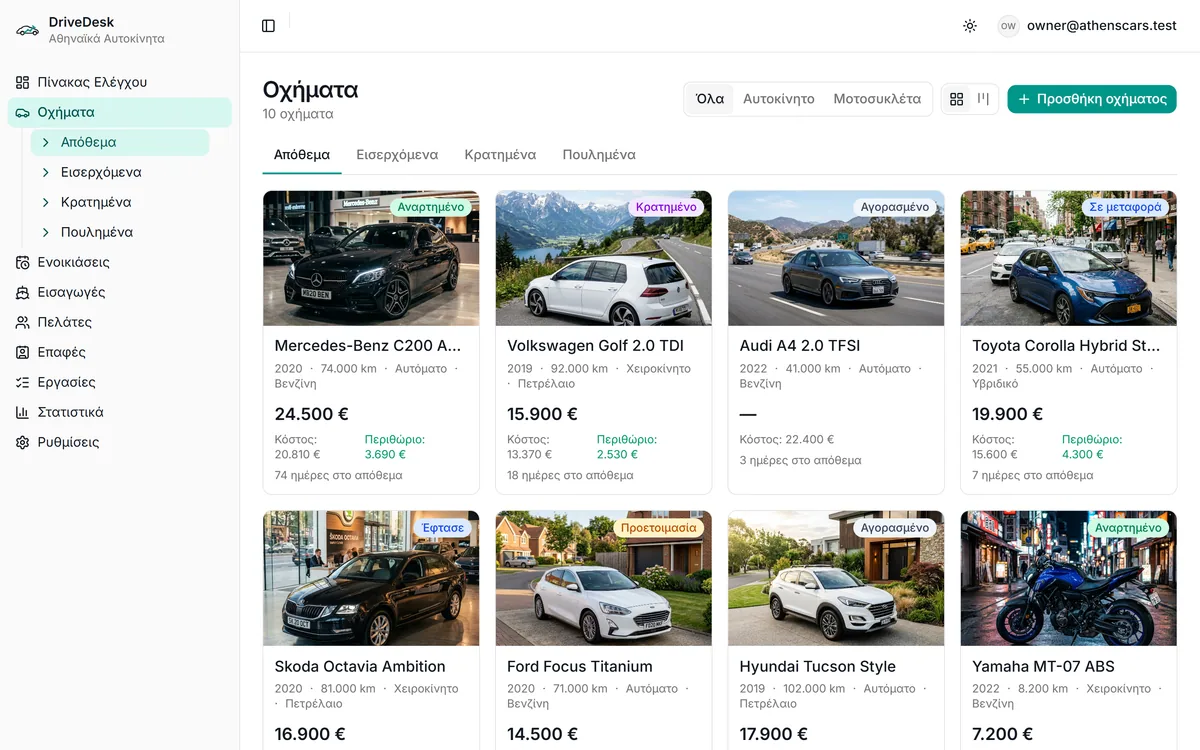
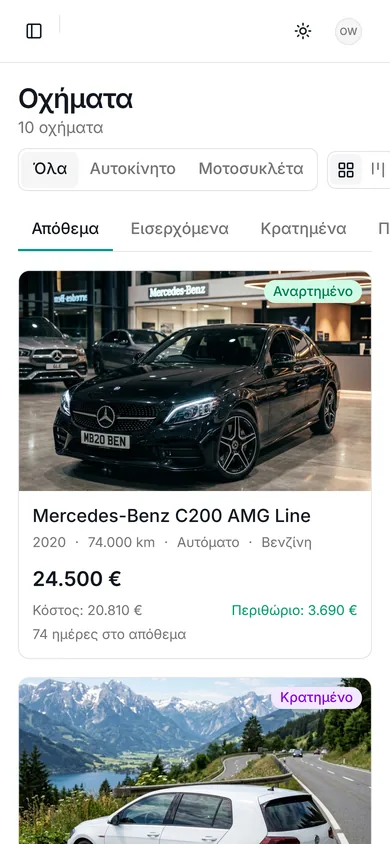
Cards with photo, price, cost, margin and days in stock. Filters for stock, incoming, reserved, sold — cars and motorcycles.
DriveDesk is modern dealer management software for independent used-car dealerships: inventory, the true cost of every vehicle, imports from abroad, customers, tasks and analytics — no Excel, no lost paperwork, no “let me search WhatsApp”.
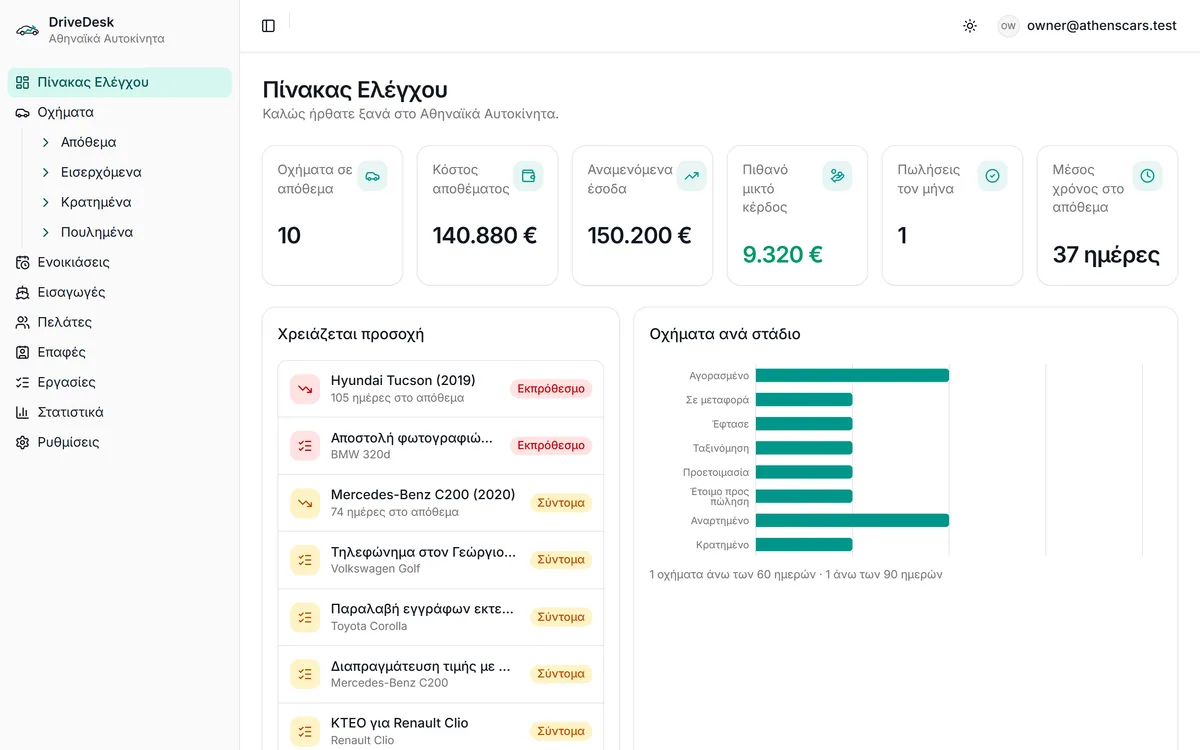
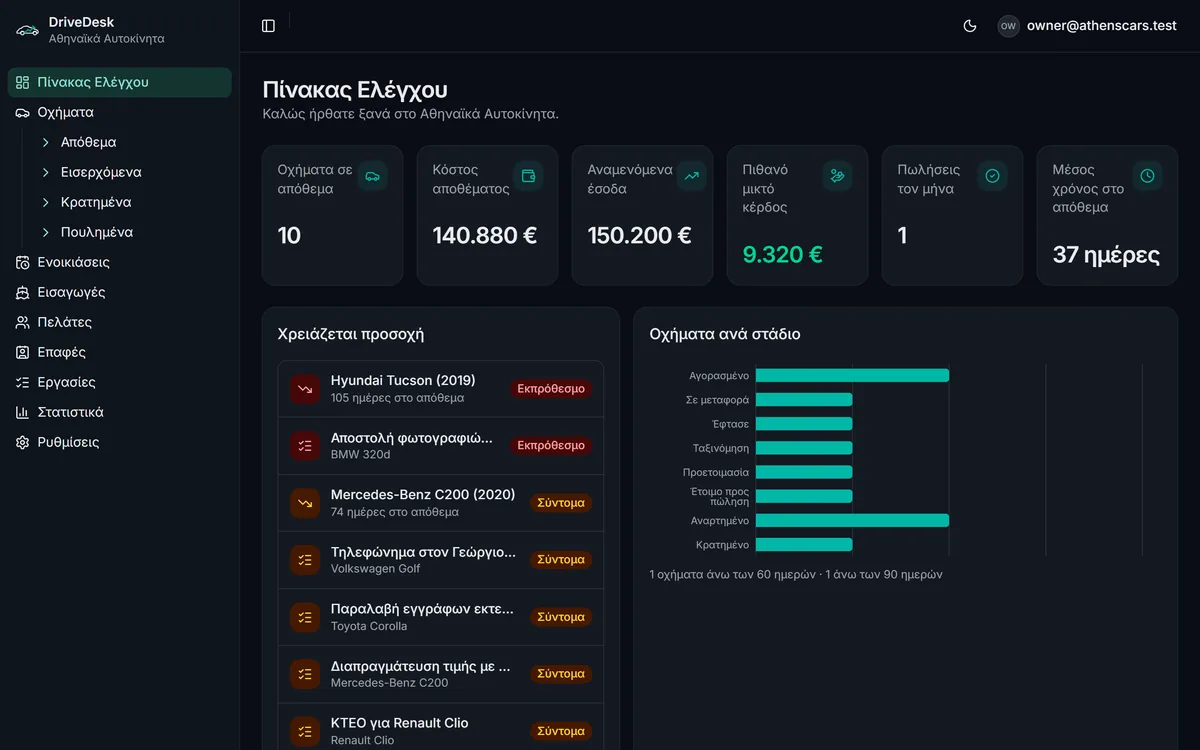
Most dealerships run on a spreadsheet that never quite adds up, receipts in drawers, photos on three different phones and deals negotiated over WhatsApp. The result: nobody knows for sure what each vehicle really cost, where each import stands, or how much the business is truly making.
DriveDesk is built around one idea: the vehicle is the centre. Every expense, document, photo, customer, task and supplier hangs off the vehicle — so every question is answered in seconds.
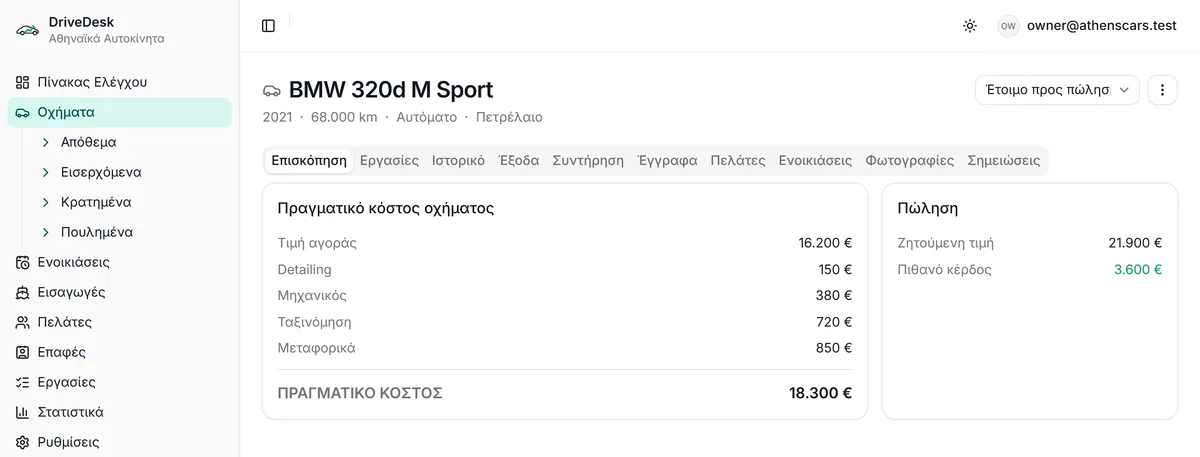
The purchase price is only the beginning. DriveDesk automatically adds every expense you log against the vehicle — transport, customs, registration, mechanic, tyres, detailing — and shows the real profit margin. Try it:
Costs beyond the purchase: . In DriveDesk this is calculated automatically for every vehicle, from the expenses you log.
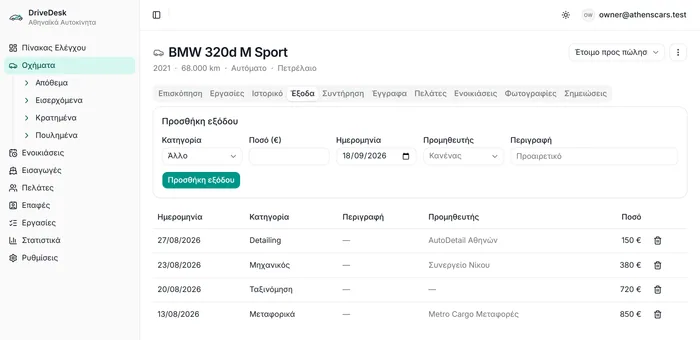
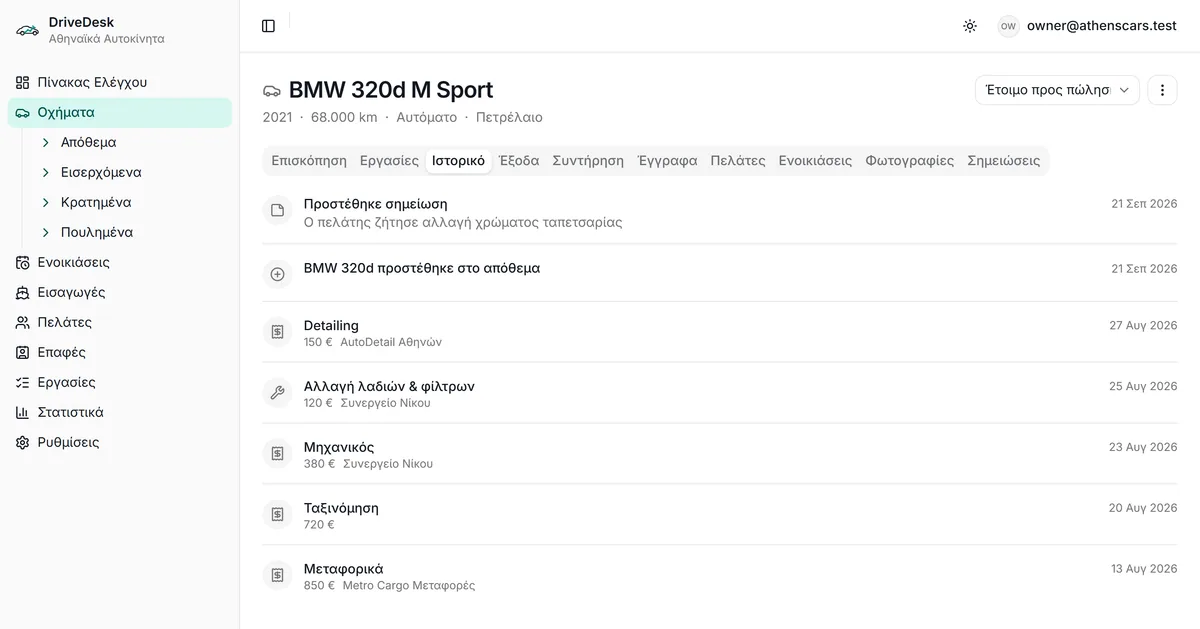
Every vehicle has its own profile with the cost breakdown, asking price and potential profit. Log an expense — e.g. “Mechanic, €380, Nikos Auto Service” — and the true cost updates instantly, together with the vehicle’s history and the supplier’s statistics.
Nine modules, one logic. An owner understands the app in five minutes — and the team uses it from their phones.
Cards with photo, price, cost, margin and days in stock. Filters for stock, incoming, reserved, sold — cars and motorcycles.
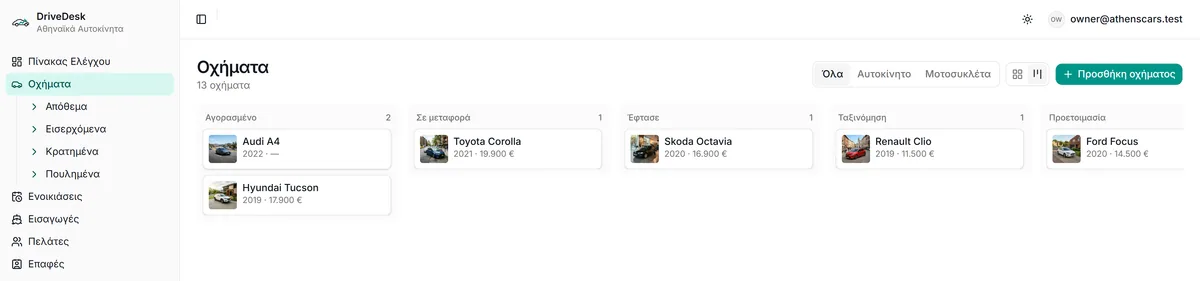
See vehicles by stage — Purchased, In transit, Arrived, Registration, Preparation, Ready, Listed, Reserved — and drag them from column to column.
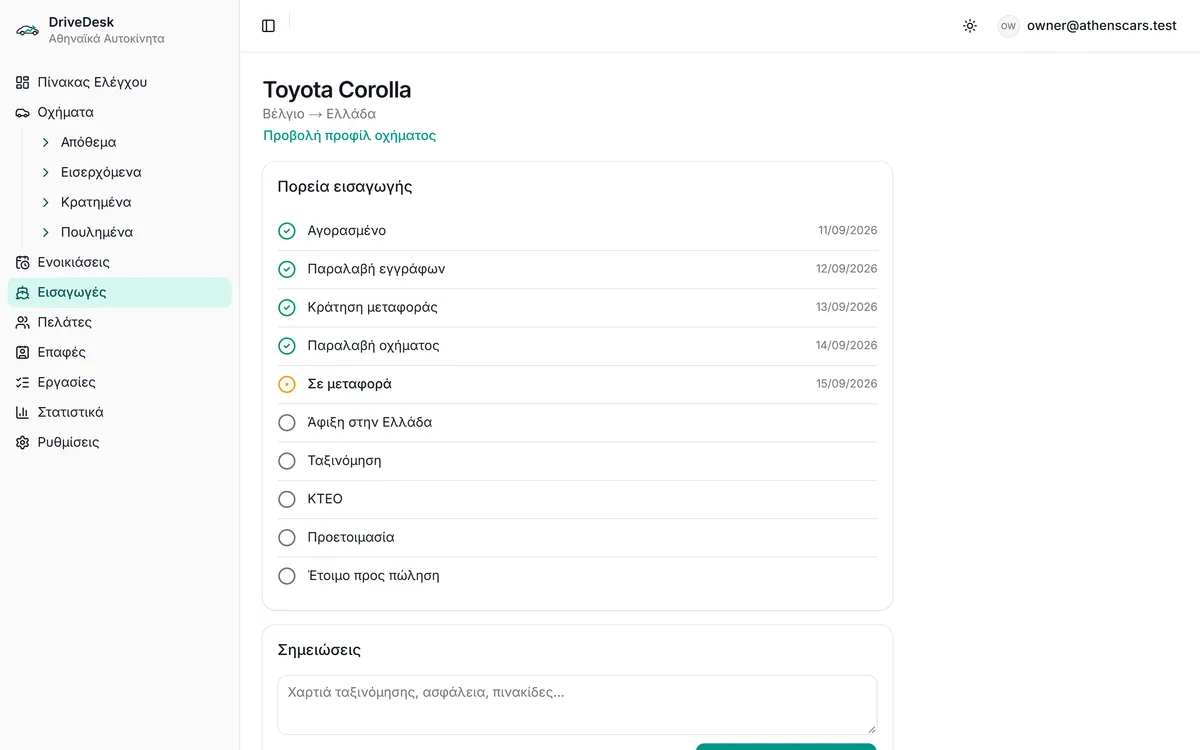
Track every vehicle from purchase abroad until it is ready for sale, across 10 stages designed for the Greek import process.
Every expense is added to the vehicle. See the true cost, the potential profit before the sale and the actual profit after it.
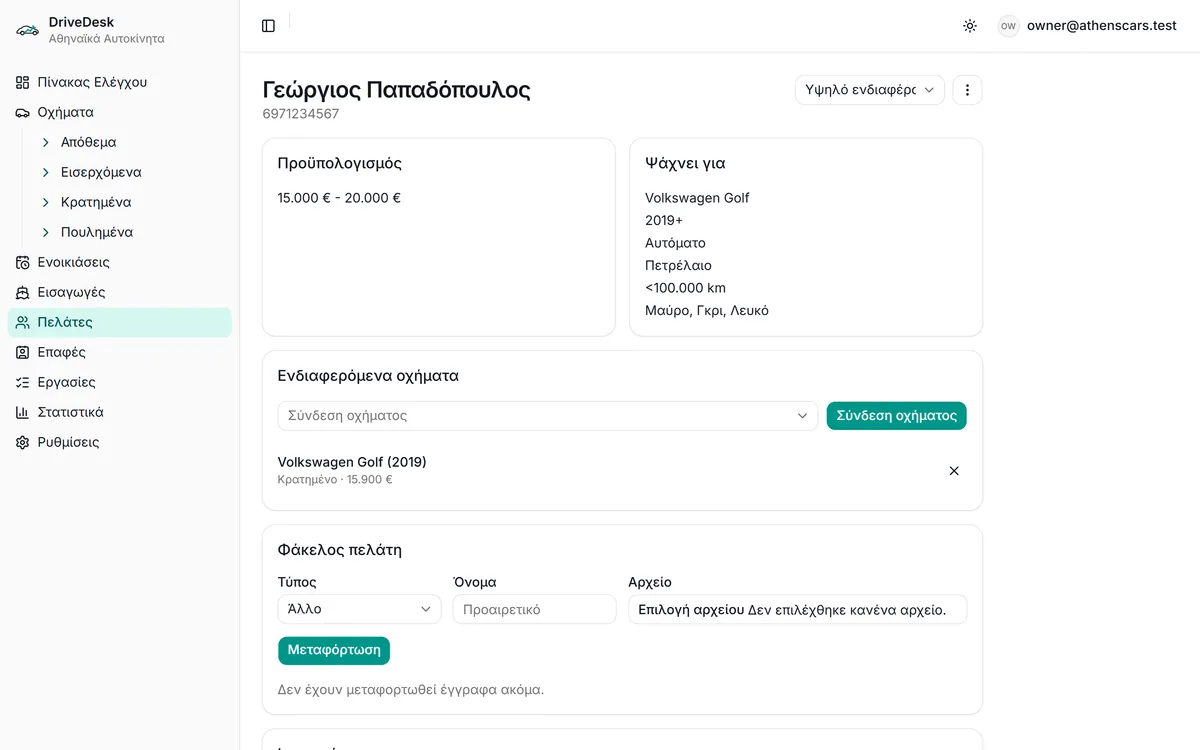
Budget, what the customer is looking for, lead status, notes, a document folder and links to the vehicles they are interested in.
Mechanics, body shops, transporters, customs agents, detailers, tyre shops — with vehicles handled, total spend and average job cost.
Tasks with due date and priority, linked to a vehicle, customer or contact. Overdue ones surface on the dashboard.
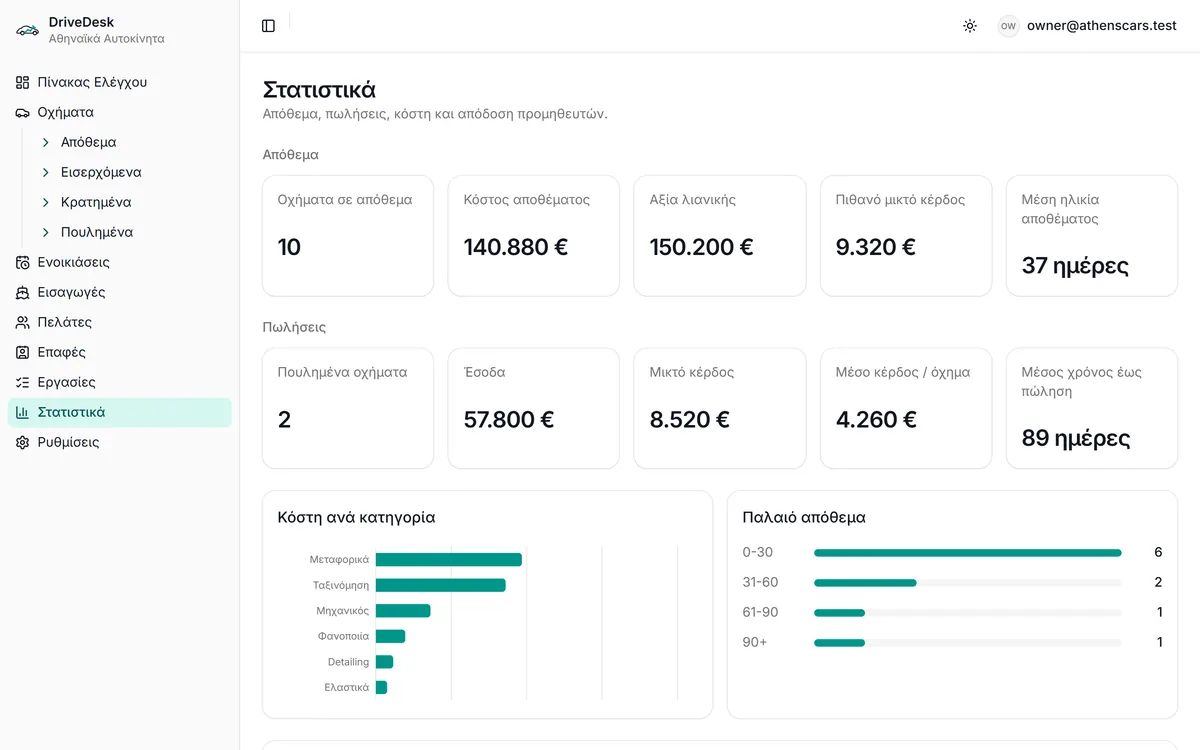
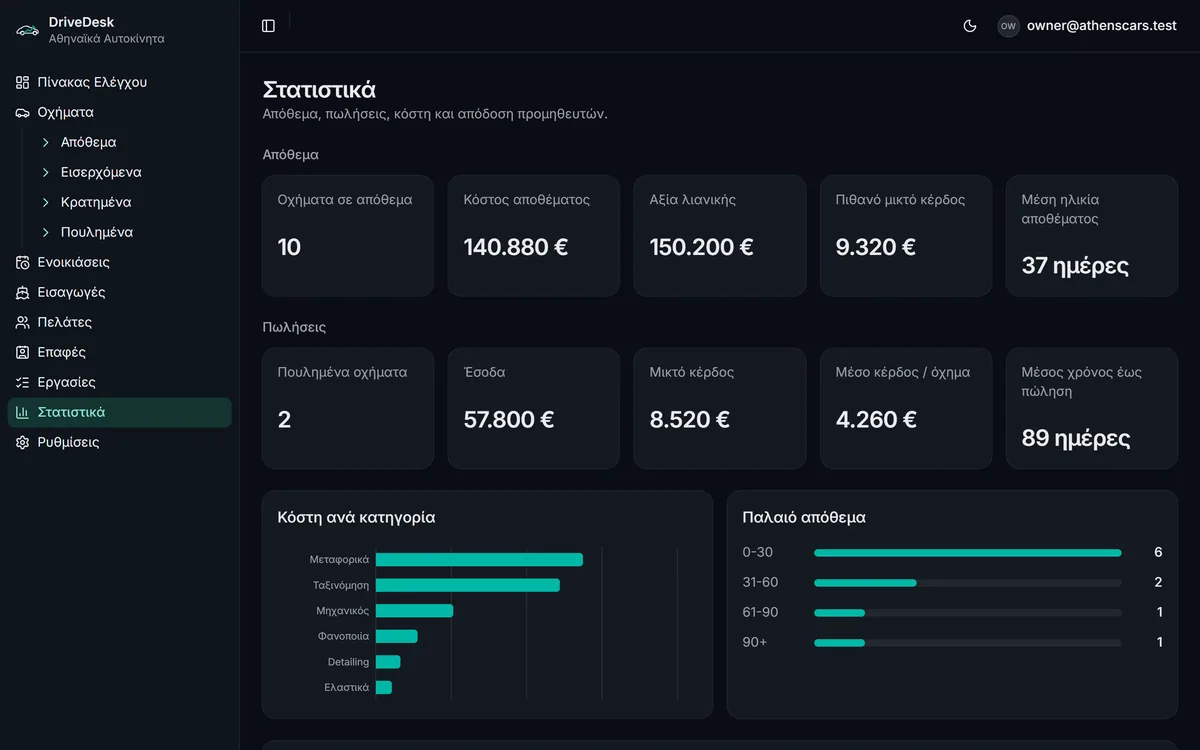
Inventory, sales, gross profit, average profit per vehicle, average days to sale, costs by category and ageing stock (0–30, 31–60, 61–90, 90+ days).
Rental bookings for cars and motorcycles with a daily rate — and protection against double-booking the same vehicle.
The inventory list answers at a glance: photo, specs, asking price, cost, margin and days in stock. Vehicles sitting for more than 60 or 90 days are flagged automatically.
From “Purchased” to “Reserved”, every vehicle sits in one column. Drag it to the next when it moves on — and the whole team sees the same picture, from the desk or the phone.
DriveDesk was designed for the Greek importer. Every import has 10 stages with date, notes and expenses — so you always know where the vehicle is and what is still pending.
Incoming imports also appear on the dashboard, with source country and current stage.
A lightweight CRM built for a dealership, not a call centre. Record the customer’s budget and what they are looking for, link them to the vehicles they are interested in and keep their folder (ID, contracts) in the same place.
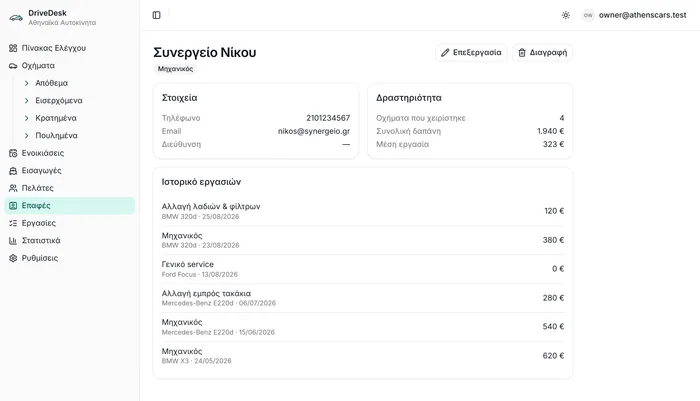
Tasks link to a vehicle, customer or contact and carry a due date and priority. Analytics answer the questions every owner has at the end of the month.
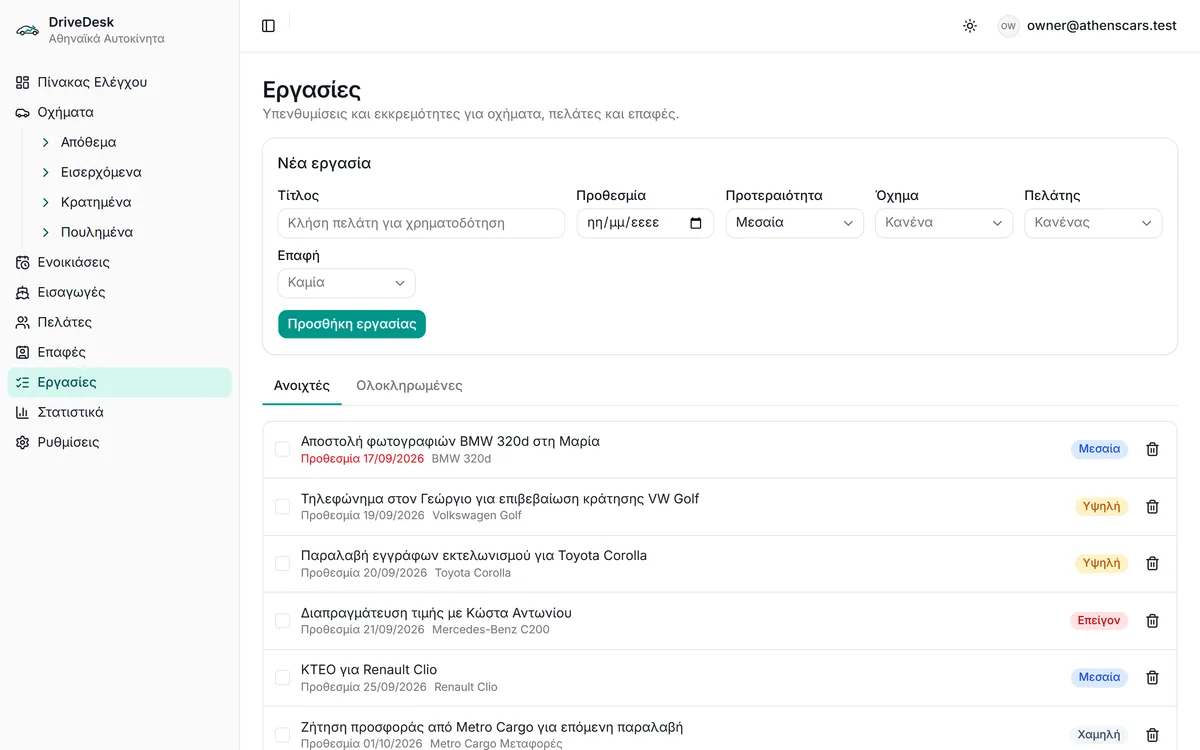
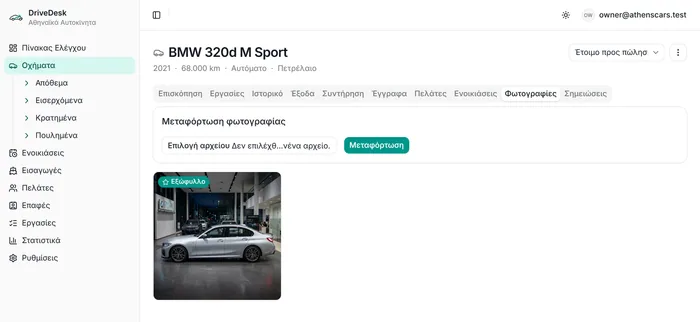
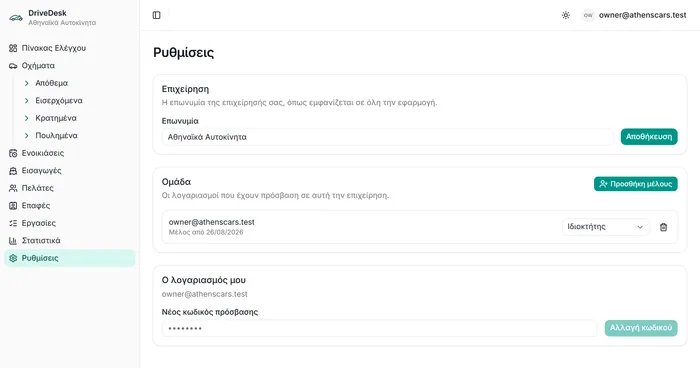
DriveDesk is fully responsive. An employee opens their phone, checks the inventory, logs an expense or a note and moves the import to the next stage — without going back to the office.
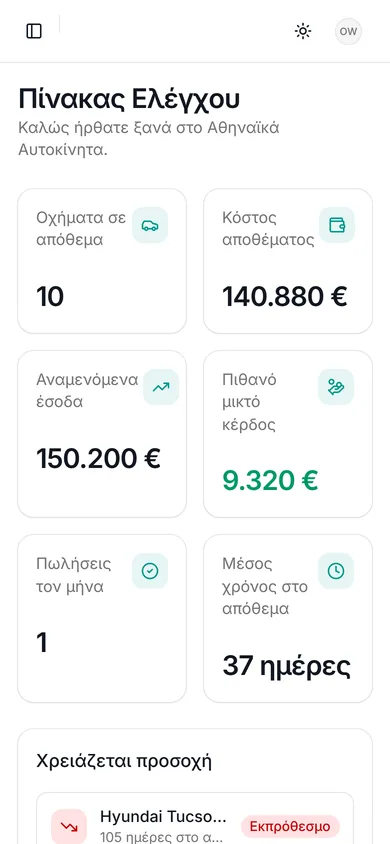
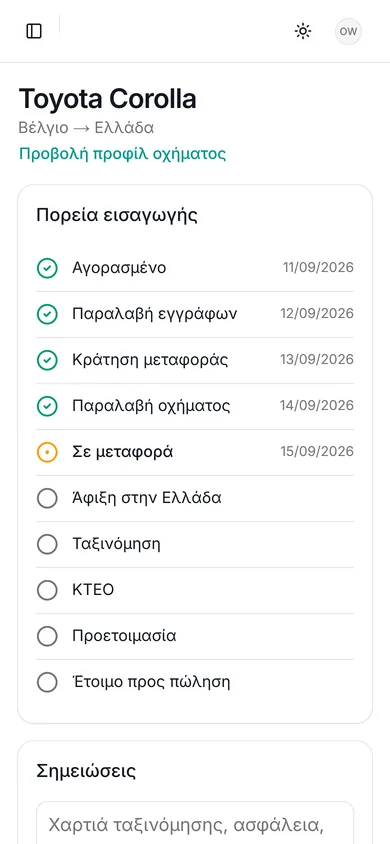
Pick a theme per user. The same clean layout, with colours that don’t tire you.
Security isn’t a setting — it’s built into the database.
Every record belongs to one organisation. The rules are enforced in the database (Row-Level Security), not just on screen.
Owner, Admin, Employee, Viewer. You decide who sees costs and who changes prices.
Photos, invoices and customer documents are stored privately and served through short-lived signed links.
Email & password or a “magic link” by email. The owner adds and removes accounts whenever needed.
Two ways to get DriveDesk, both with every feature: inventory, true cost, imports, customers, contacts, tasks, rentals and analytics. The price depends on the size of your dealership and the number of users — call us for a quote.
Low monthly cost, no upfront investment. Ideal for dealerships that want to start right away.
Pay once and DriveDesk is yours. For businesses that prefer not to carry recurring subscriptions.
Both options: every module, unlimited vehicles, support in Greek and English. Call +30 694 263 0560 for a quote.
Independent used-car and motorcycle dealerships, vehicle importers, brokers and small dealer groups with 10–200 vehicles that currently run on Excel, paper and WhatsApp.
The purchase price plus every expense spent on that specific vehicle: transport, customs, registration, roadworthiness test (KTEO), mechanic, parts, tyres, bodywork, detailing, advertising. DriveDesk calculates it automatically and compares it with the sale price so you see the real margin.
No. DriveDesk is a web application that runs in any browser on desktop, tablet or phone. There is nothing to install or maintain.
Every dealership has its own isolated space. Security rules are enforced in the database (Row-Level Security), documents and photos live in private storage, and every user has a role with specific permissions.
Yes. The owner adds employees from Settings and assigns a role: Owner, Admin, Employee or Viewer. A Viewer can see inventory but cannot change prices or see costs.
Whatever suits your business: a monthly subscription that includes updates and support, or a one-time purchase. Pricing depends on the size of your dealership and the number of users — call us on +30 694 263 0560 for a quote.
Yes. The entire application is in Greek and designed around the Greek import process: customs clearance, registration, KTEO, plates.
A 20-minute demo, online or at your dealership. Bring one vehicle from your stock and we’ll work out its true cost together. One call is all it takes:
Monday–Friday. If we miss your call, send a text and we’ll call you back.